
Braveheart Script Font
Braveheart is Modern Calligraphy. This font was designed by handwriting, and it has a modern and unique forms of calligraphy, the writing style is very natural.

Braveheart is Modern Calligraphy. This font was designed by handwriting, and it has a modern and unique forms of calligraphy, the writing style is very natural.
| Designer Name: | artisans |
| Date: | December 22, 2017 |
| Downloads: | 41909 |
| Classification: | Calligraphy Fonts, Handwritten Fonts, Script Fonts |
| License: | Free for Commercial Use |
| Commercial License: | https://crmrkt.com/WKWw6A |
UNLIMITED DOWNLOADS: 50 Million+ Fonts & Design Assets
Browse affordable fonts with full commercial licensing. DOWNLOAD NOW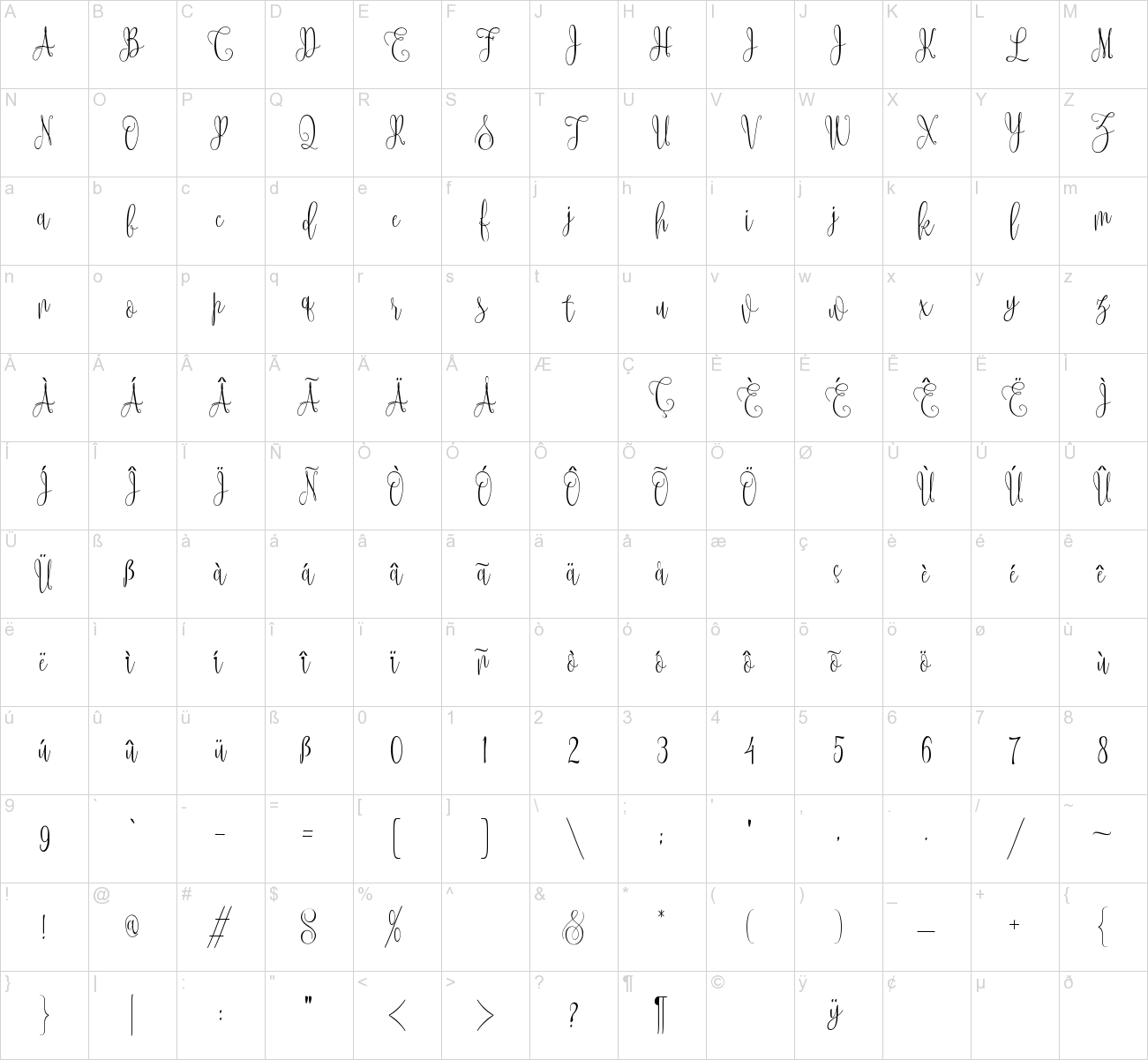
This site uses Akismet to reduce spam. Learn how your comment data is processed.
Rowyen – Sans Serif Font Rowyen is a modern display typeface that blends...
Diampiri Display Font - Modern Font is a bold and authentic display font....
Ballencia Script Font Ballencia looks naturally & Modern, made with details...
Spok Creps Font is a bold, funky-themed sans-serif display font that...
Saladin Arabic Font, it would be a perfect choice to design posters,...
Daddio Script Font is a modern and neat handwritten font. No matter the...
Twilight Typeface, is a lovely and delicate brushed script font that exudes...
Delusion Font - This elegant serif typeface is enhanced with Variable Font,...
PGR Rustica Font is a font that’s full of romance! Its elegant script lines...
Your Everyday Display Font is a stylish sans serif display font. This...
Linlegrey is an unique sans-serif font based on simplicity. It adapts to a...
Pixel Runes Font is a high-quality pixel font tailored for indie game...
Prodelt Co Serif Font This font 100% Free for Personal & Commercial Use
By installing or using this font, you are agree to the Product Usage...
Brownstone Victorian Font. The modern display font feels beautiful classy,...


Hello – I can’t seem to get the extra swashes like in the font cover photo to appear in Microsoft Word. I can see them under stylistic alternates preview, but when selected they don’t actually appear in the document itself. Can you offer any help? Thank you.